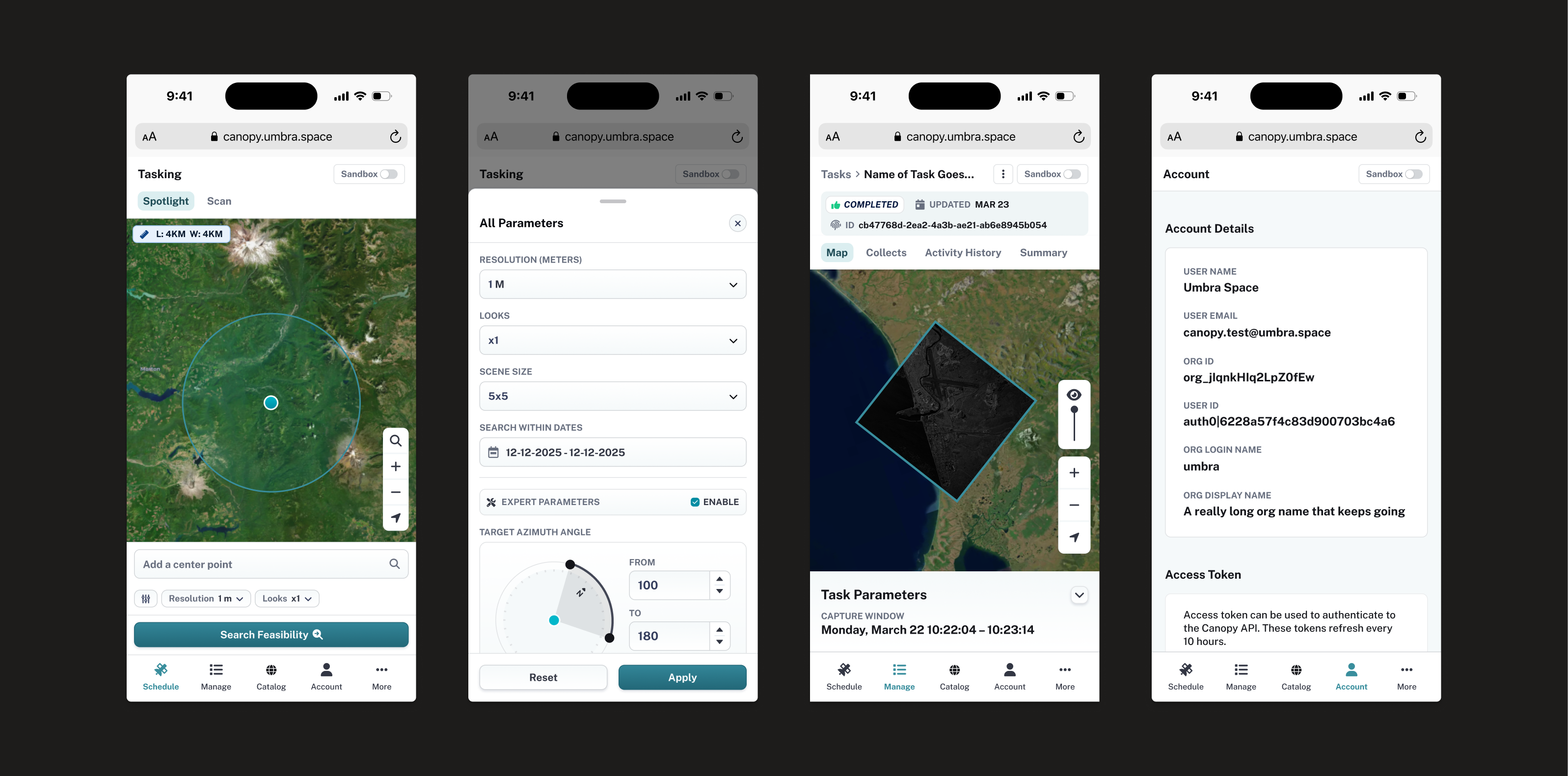
Canopy App
Making satellite data truly accessible and on‑demand.
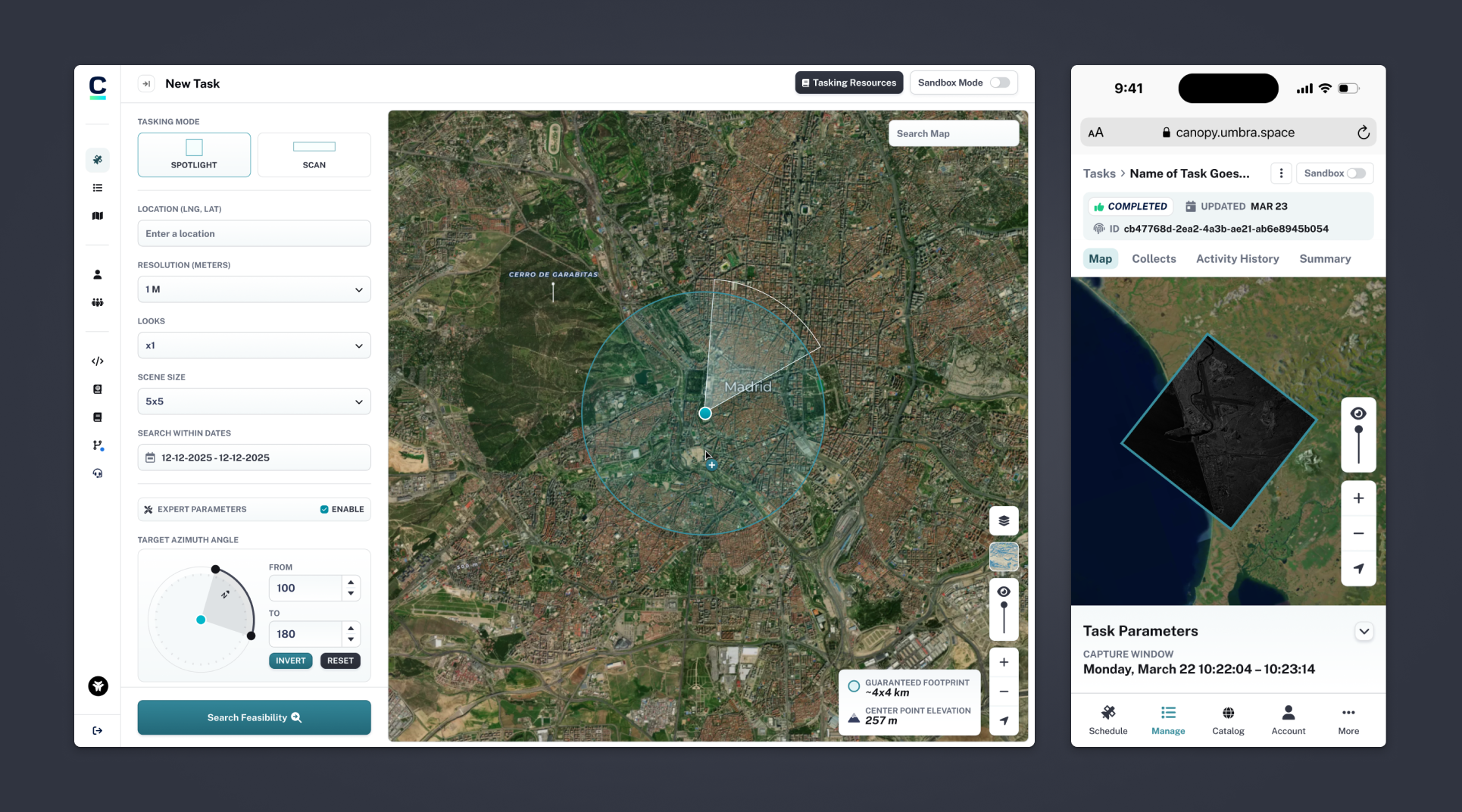
Umbra Space, a leading provider of space imaging, set out to make satellite data truly accessible and on‑demand. Canopy was created to let users get imagery without the antiquated hurdles of phone calls and spreadsheet orders.
Users
US Government defense and intelligence agencies, sovereign nations, image resellers, analytics companies, journalists, scientific researchers.
Problem
Users struggled to order from the platform and use technical parameters. The app needed a polished, consistent design and the MVP missed key features—like ordering at scale. Customers leaned on our support team due to shortcomings.
Goals
Steer Canopy from an MVP to a fully-featured product. Introduce new functionality and offerings to help serve customer’s missions. Improve usability and iterate on the design to make the app a joy to use.
Impact
Research
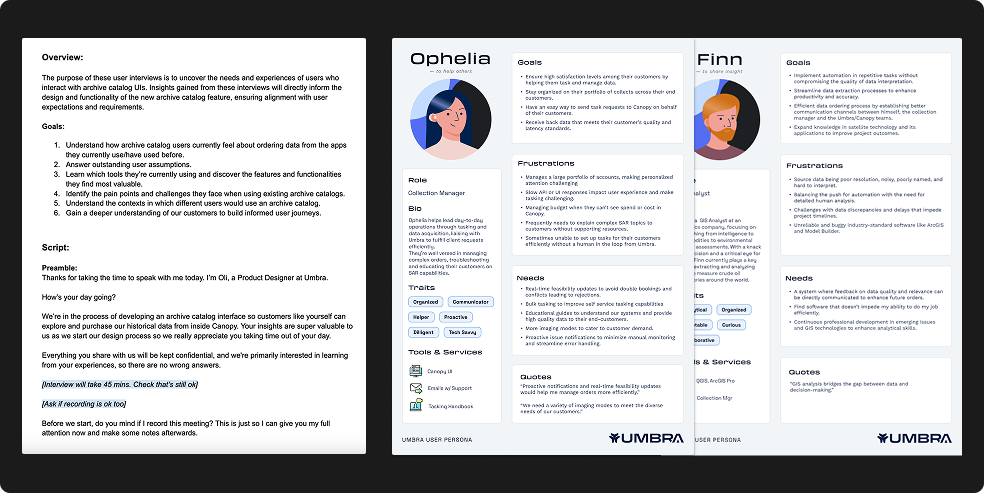
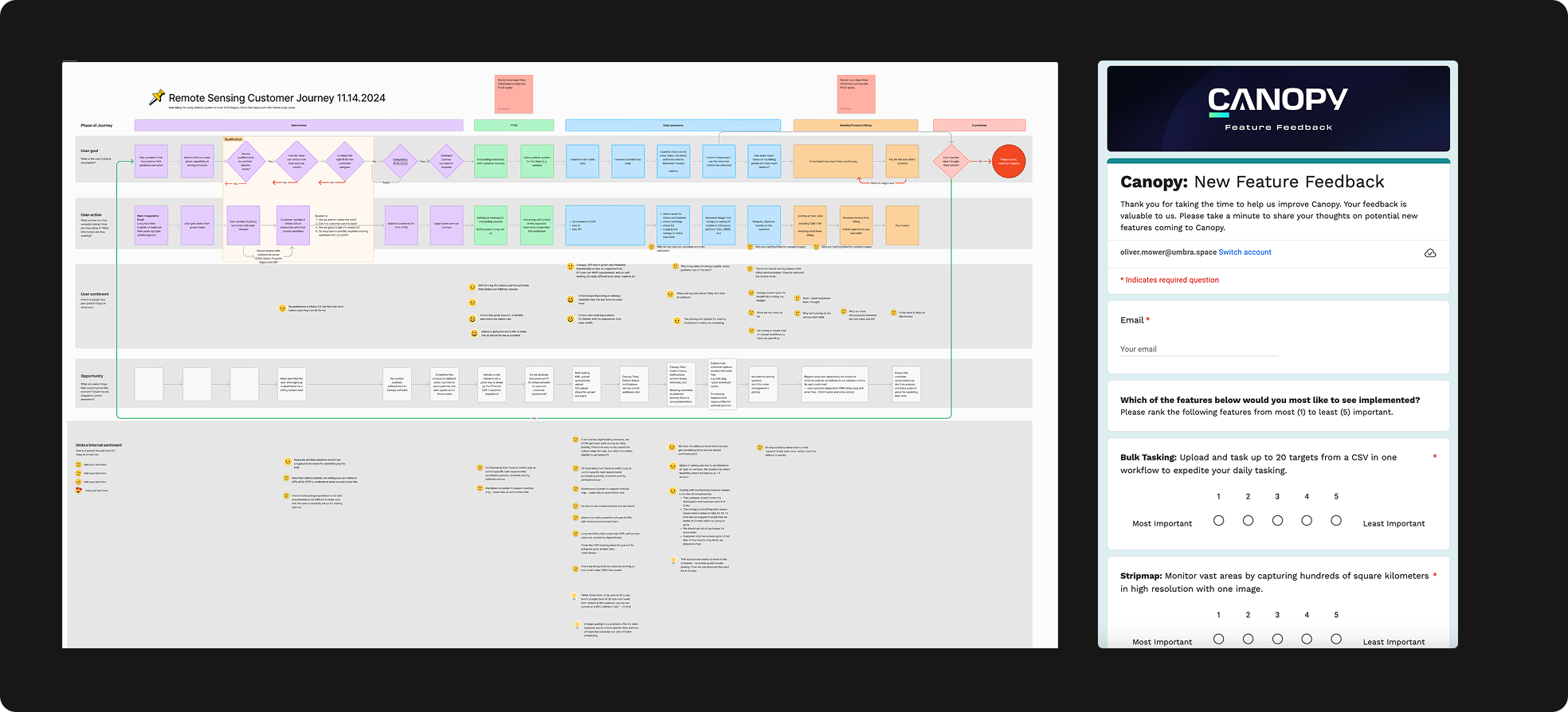
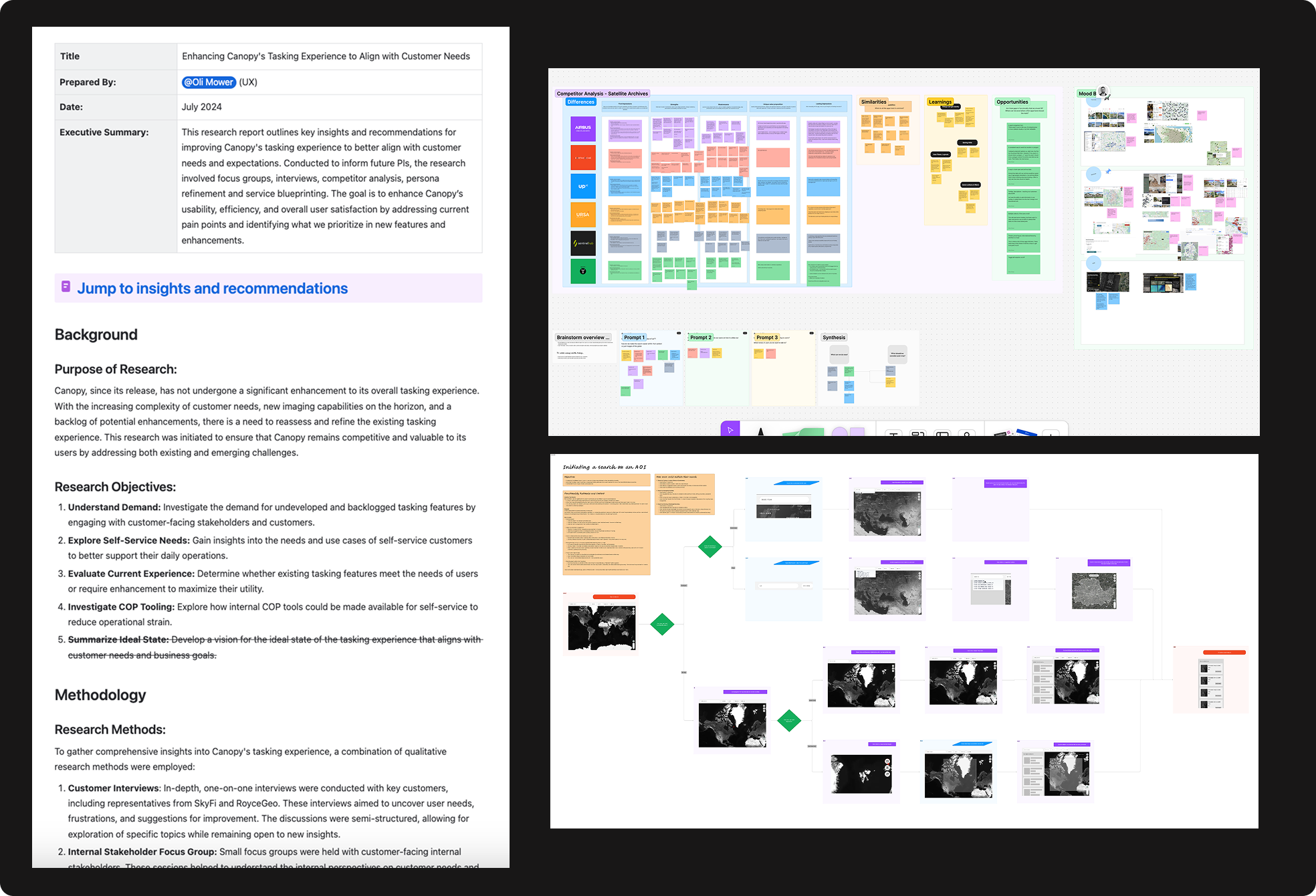
Working closely with the Product Manager, I interviewed customers to learn what they were trying to achieve and where they were experiencing friction with the beta platform, building personas around the different user types and their goals and frustrations. I used those findings to map user journeys and service blueprints, then packaged the research into a report to build stakeholder buy-in for the priorities that followed.
- Interviews & personas — direct customer conversations shaped how we grouped user types
- User journeys & service blueprints — visualized problem areas across the customer journey
- Research report — shared findings and recommended priorities with stakeholders
An improved tasking system
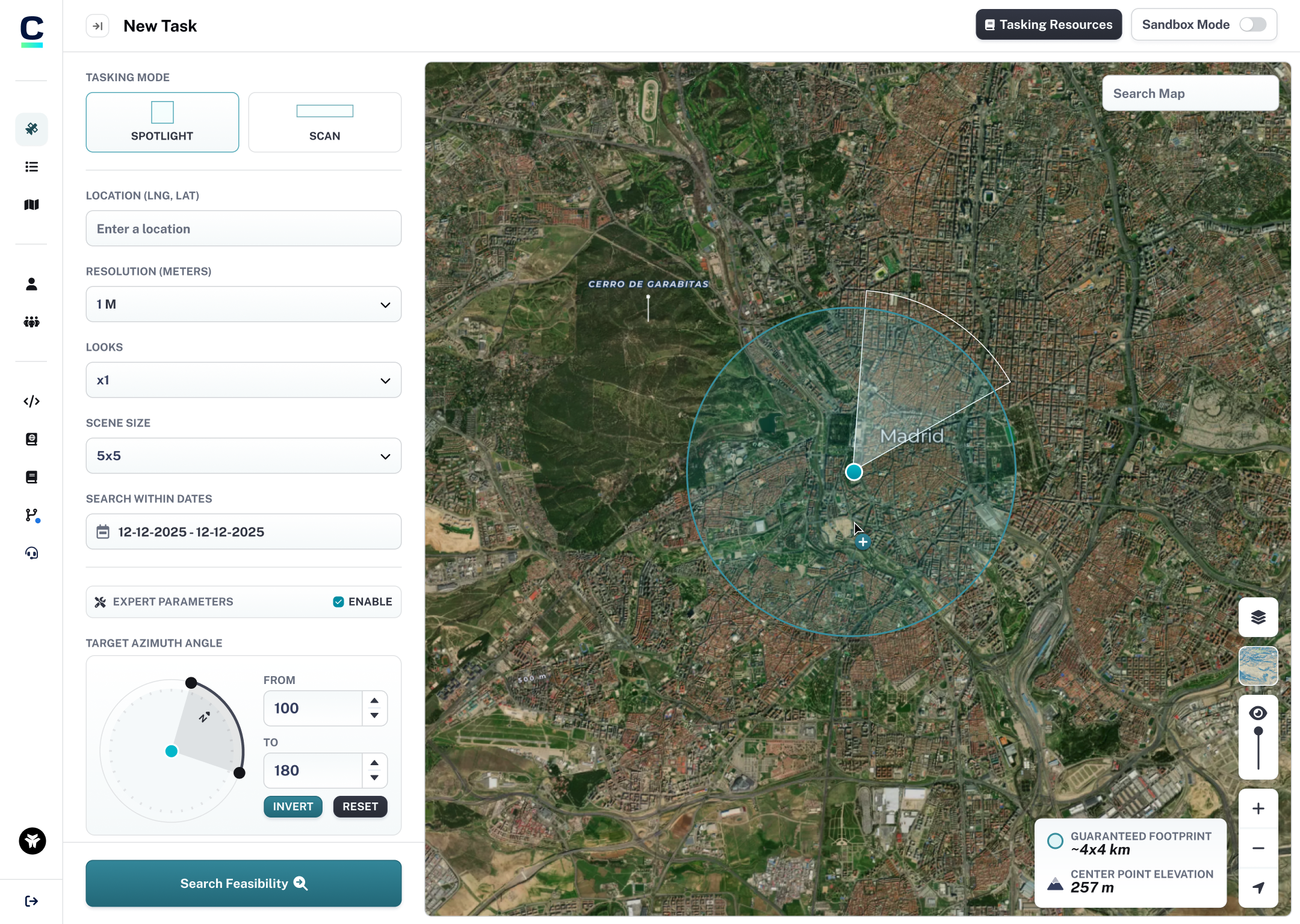
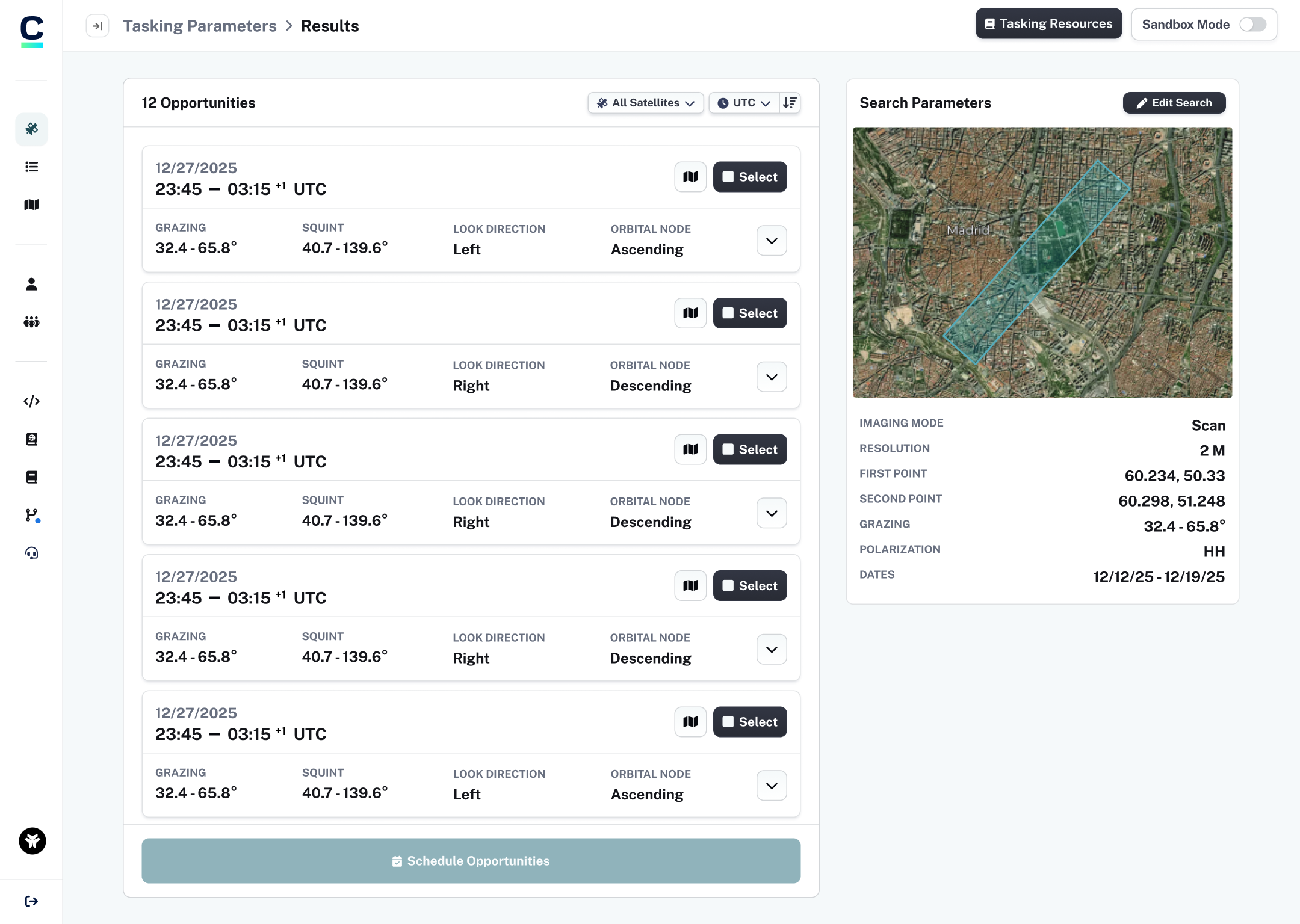
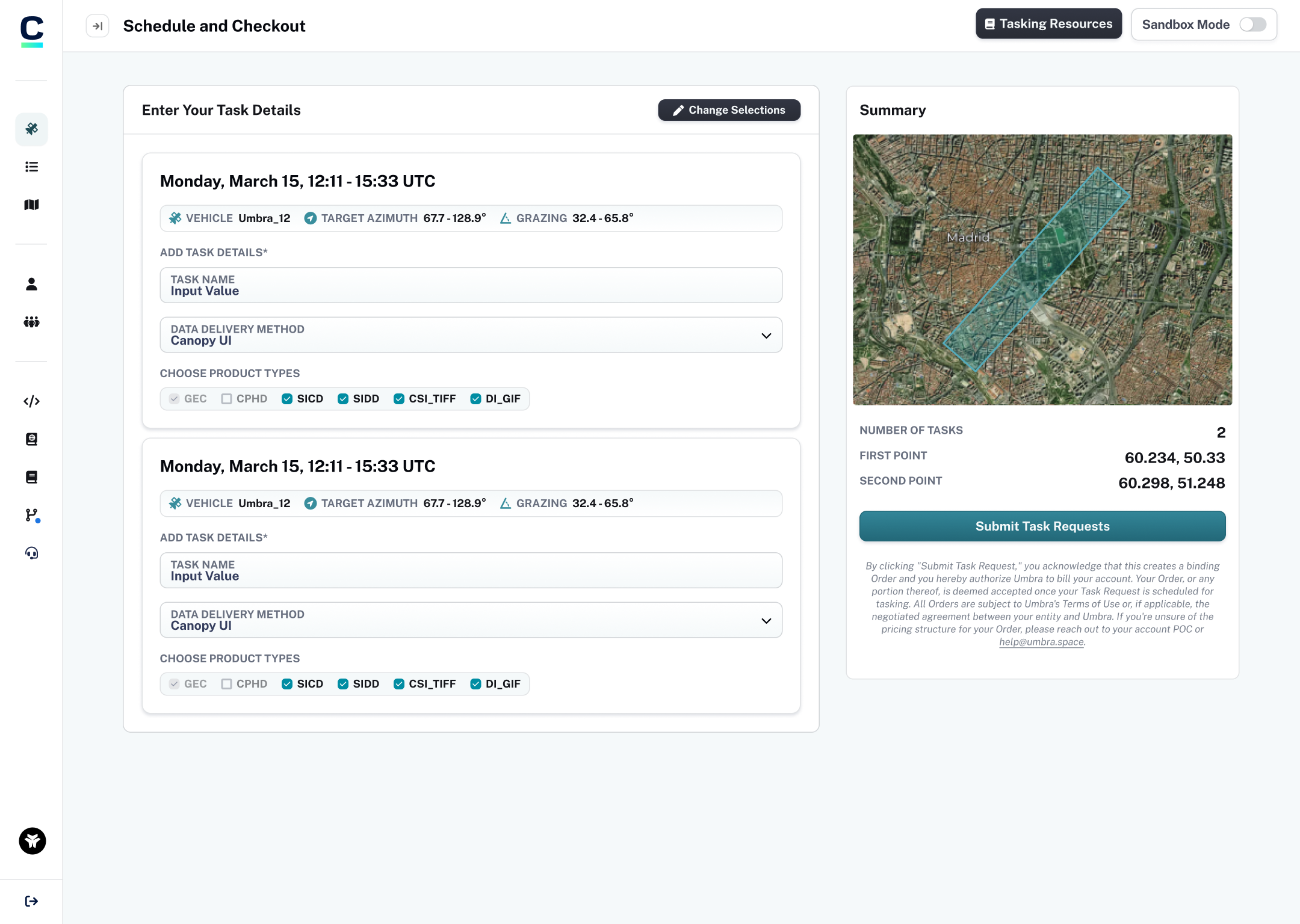
Redesigned the core tasking flow end-to-end — selecting an area of interest, reviewing available imaging opportunities, and confirming an order — replacing the MVP's fragmented, multi-step process with a single guided flow.
Advanced parameters and educational content
Added advanced tasking parameters for power users, paired with inline educational tooltips so less experienced customers could understand technical options without leaving the flow.
A bulk ordering system
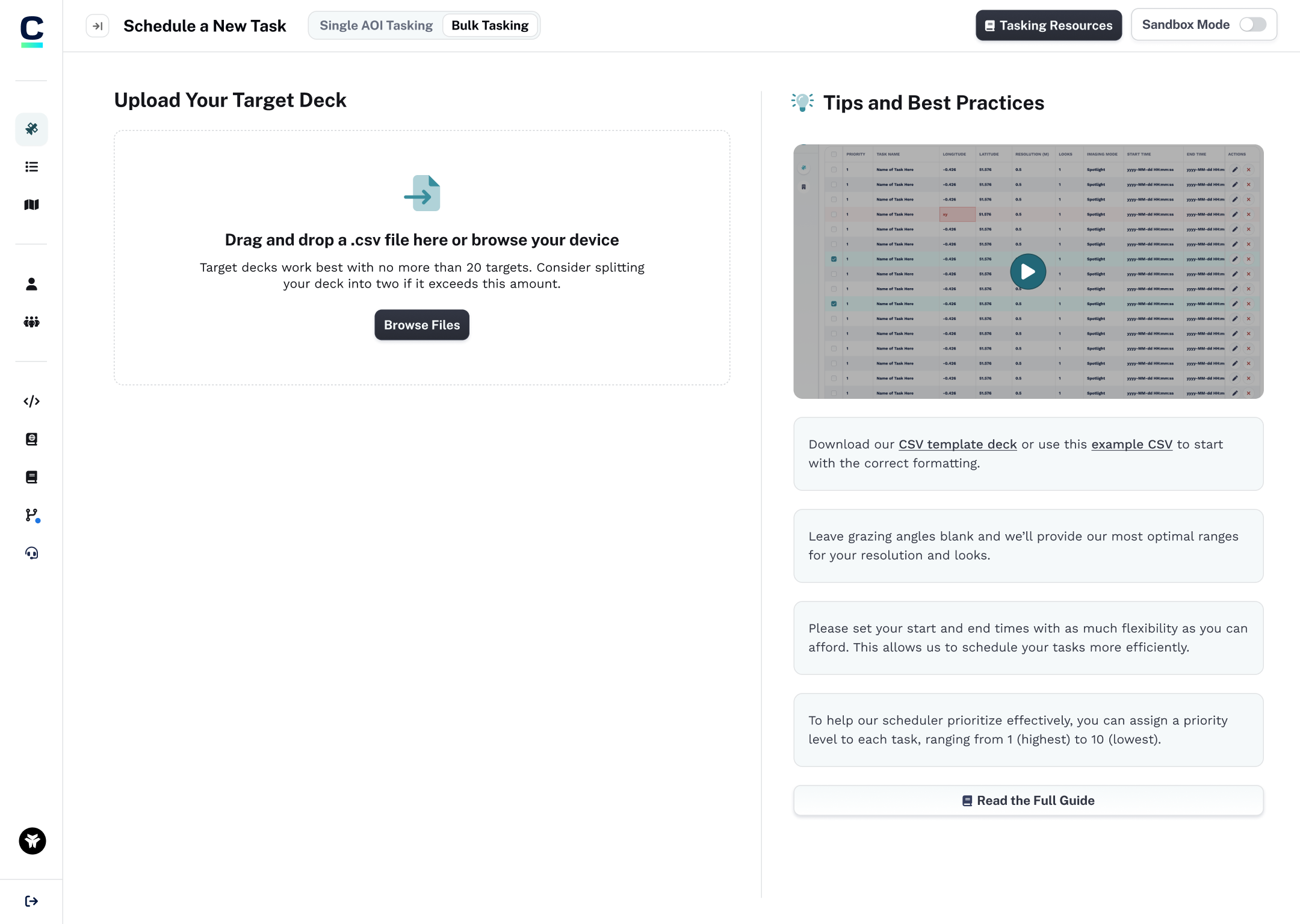
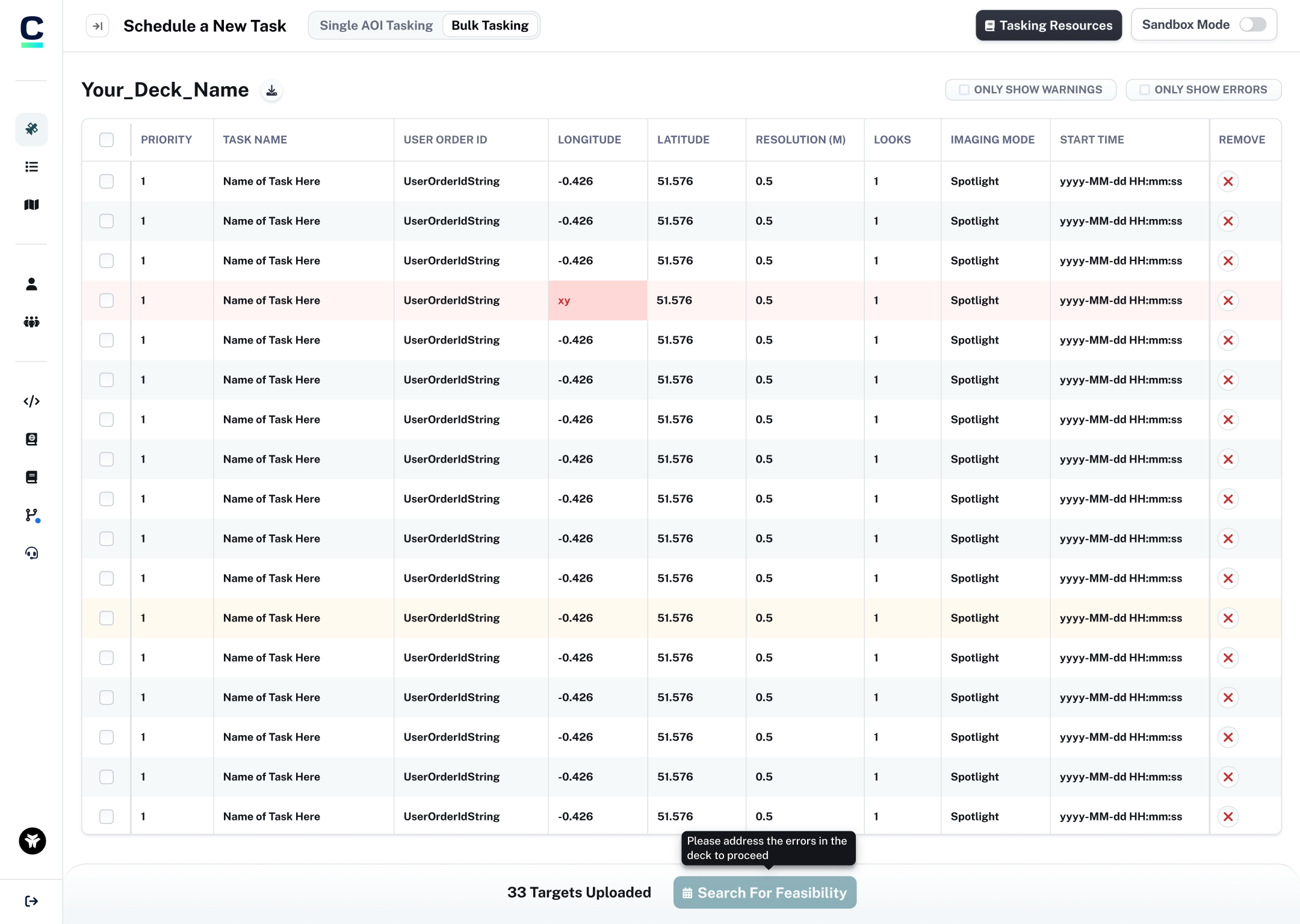
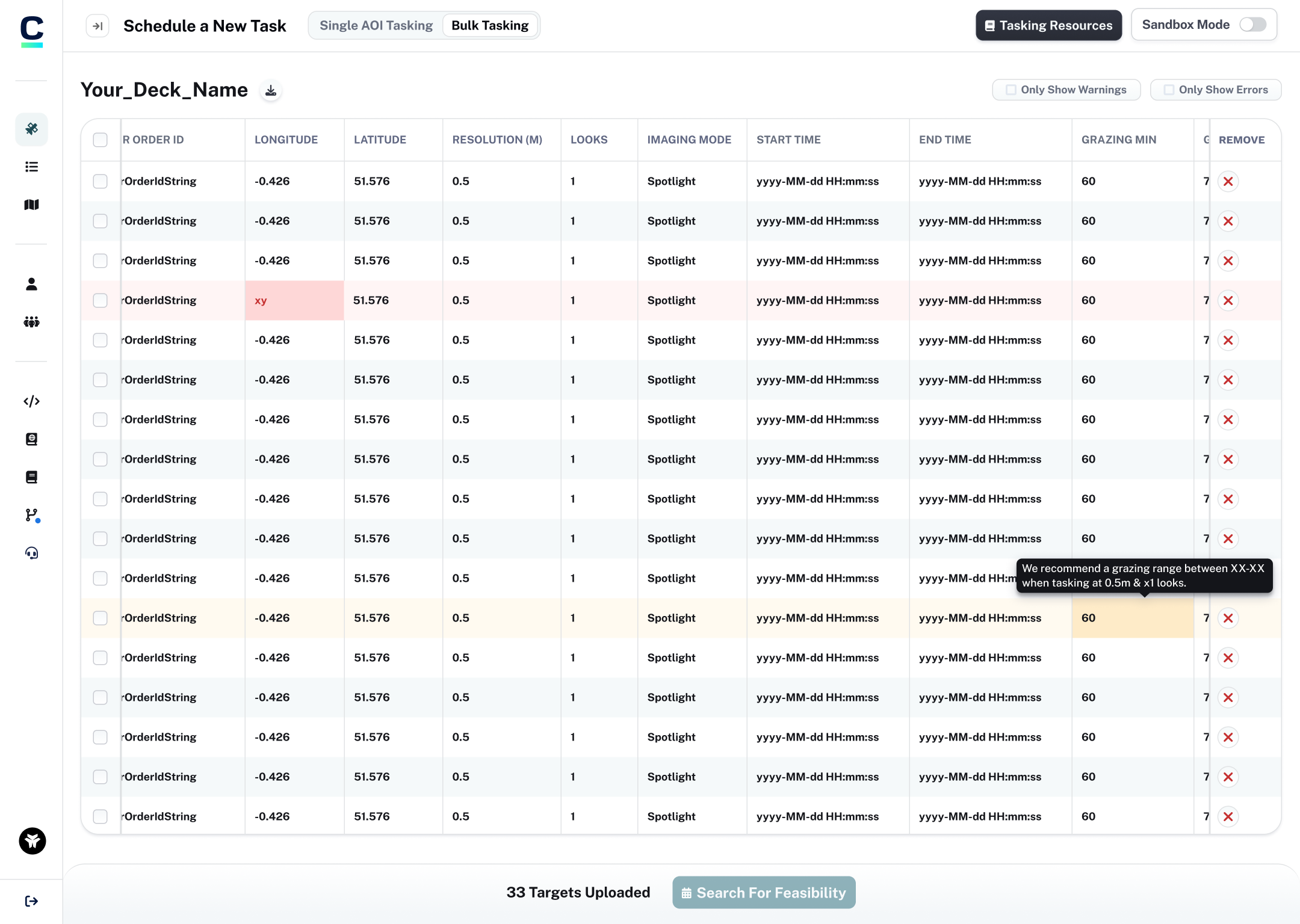
Our larger customers relied on our internal tasking specialists to place bulk orders on their behalf, since they had too many targets to order through the self-service system. I harnessed the internal APIs our engineering team had built and designed a customer-facing interface that let these users order at scale directly, taking strain off our internal team.
Mobile optimized pages
Reworked key flows for smaller screens so the full tasking experience feels native on mobile and tablet, rather than a scaled-down version of the desktop layout.